Archival
The archival rule reviews a resource that has already been archived. It asks the owners whether the resource is still needed, and escalates when they do not answer. The clock starts at the moment the resource was archived, so a group nobody claims can be cleaned up instead of sitting archived forever.
The rule does not decide when a resource should be archived. That is the Archive escalation action on the Confirmation and Expiration rules.
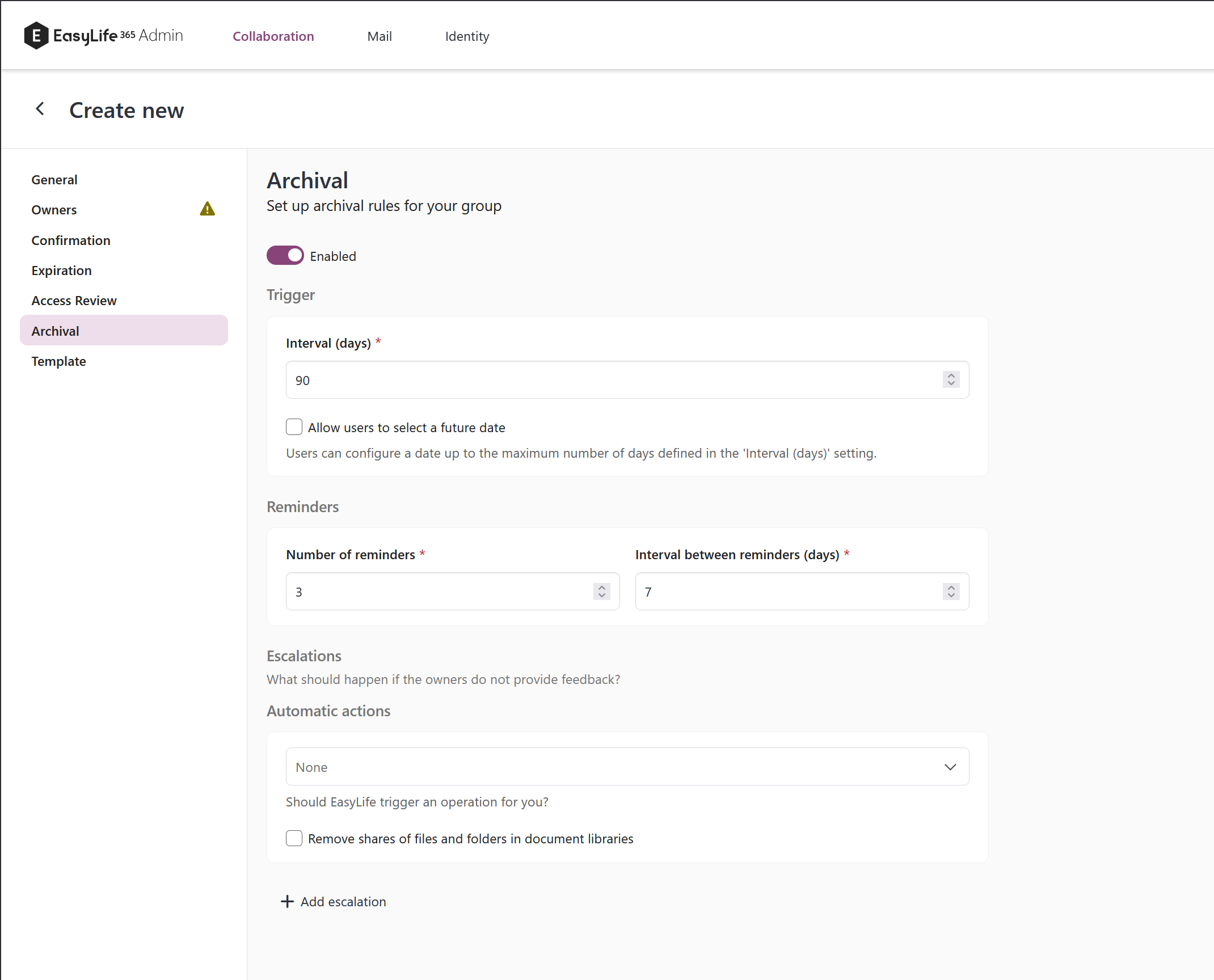
Configuration
- Open the policy and select
Archivalin the left menu. - Enable the rule.
- Set Interval (days) — how long a resource may remain archived before the rule triggers.
- Optionally tick Skip if SharePoint activity is detected.
- Set the number of reminders and the interval between them.
- Choose what happens if owners do not react in time.
A newly enabled archival rule starts with these defaults:
| Setting | Default |
|---|---|
| Reminders | 3 |
| Reminder interval | 7 days |
| Interval (days) | 90 |
| Escalation | None |
| Skip if SharePoint activity is detected | Off |
The defaults apply only when you switch the rule on for the first time. A policy that already carries an archival rule keeps whatever it was saved with, so existing policies are untouched.
Skip if SharePoint activity is detected
When this is ticked, EasyLife reads the last-modified date of the resource's SharePoint site before starting the review. If the site has been modified more recently than the configured interval, the resource is made compliant and the review is held back.
The option starts off deliberately. This is the one rule that runs because the resource is archived, and an archived, locked or missing site cannot answer whether anyone has used it lately. A site that cannot be read is treated as "no activity", so the review proceeds rather than the scan failing.
Escalation
In case of an escalation, the resource can be automatically deleted, a webhook can be triggered, and a mail can be sent. Escalation options are Delete and None.
You can also tick Remove shares of files and folders in document libraries to clear sharing links as part of the escalation.
What "archived" means for the resource
The archival rule behaves the same way under either archive connector, but what an archived resource actually is depends on the connector configured under Settings → Teams & Groups → Archive settings:
- Teams default — the Team is archived and its channels become read-only. The SharePoint content stays on normal storage.
- Microsoft 365 Archive — the group's SharePoint site is moved into cold storage and its content is unavailable until the site is reactivated. Groups with no Team are archivable too.
See Settings for the connector, and SharePoint archival for the equivalent rule on standalone SharePoint sites.