Lockstep
- Globally Available (31/08/2026)
EasyMeet 365 now lets organizers schedule more than one meeting from a single poll, making it easier to plan multi-day workshops and multi-session trainings.
What’s new?
-
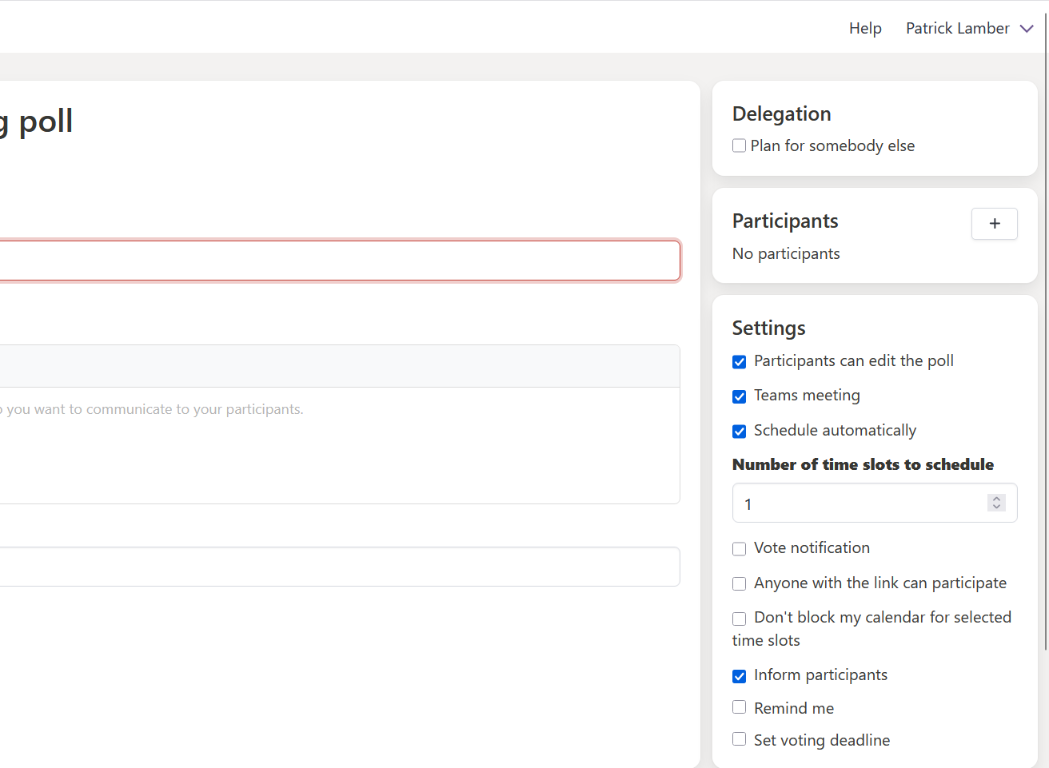
Schedule multiple time slots from one poll
Organizers can now set how many final time slots a poll should produce.
- Set the number of time slots to schedule when creating or editing a poll.
- Automatic scheduling picks the best-matching time slots once enough votes are in.
- Organizers can also select multiple time slots by hand and confirm them together.
- A calendar event is created for each scheduled time slot.
- Existing polls are unaffected and continue to schedule a single time slot by default.
How these updates will affect you
- You can plan a multi-day workshop or training series with a single poll instead of creating one for each day.
- You keep full control over how many time slots get scheduled and can confirm them automatically or by hand.
- Everyone invited still receives a calendar invite for every time slot that gets scheduled.