Antares
- Globally Available
Fresh improvements in EasyLife 365 Identity help you stay in control of your applications. Automated Activity Scans and configurable Activity Policies give you the insights to track real usage and enforce compliance. With the introduction of Business Owners and Technical Owners, you can now better distinguish between business accountability and technical responsibility across your apps. While the new Notes field allows you to clearly describe intent, context, and operational details for both Base and Enterprise applications.
What’s new?
-
Activity Scans
EasyLife 365 Identity now periodically scans your environment to track sign-in activity for Enterprise Applications. The last interactive sign-in date is continuously updated and displayed in the Manage section of the Admin portal, and is also included in environment exports.
-
Activity Policies
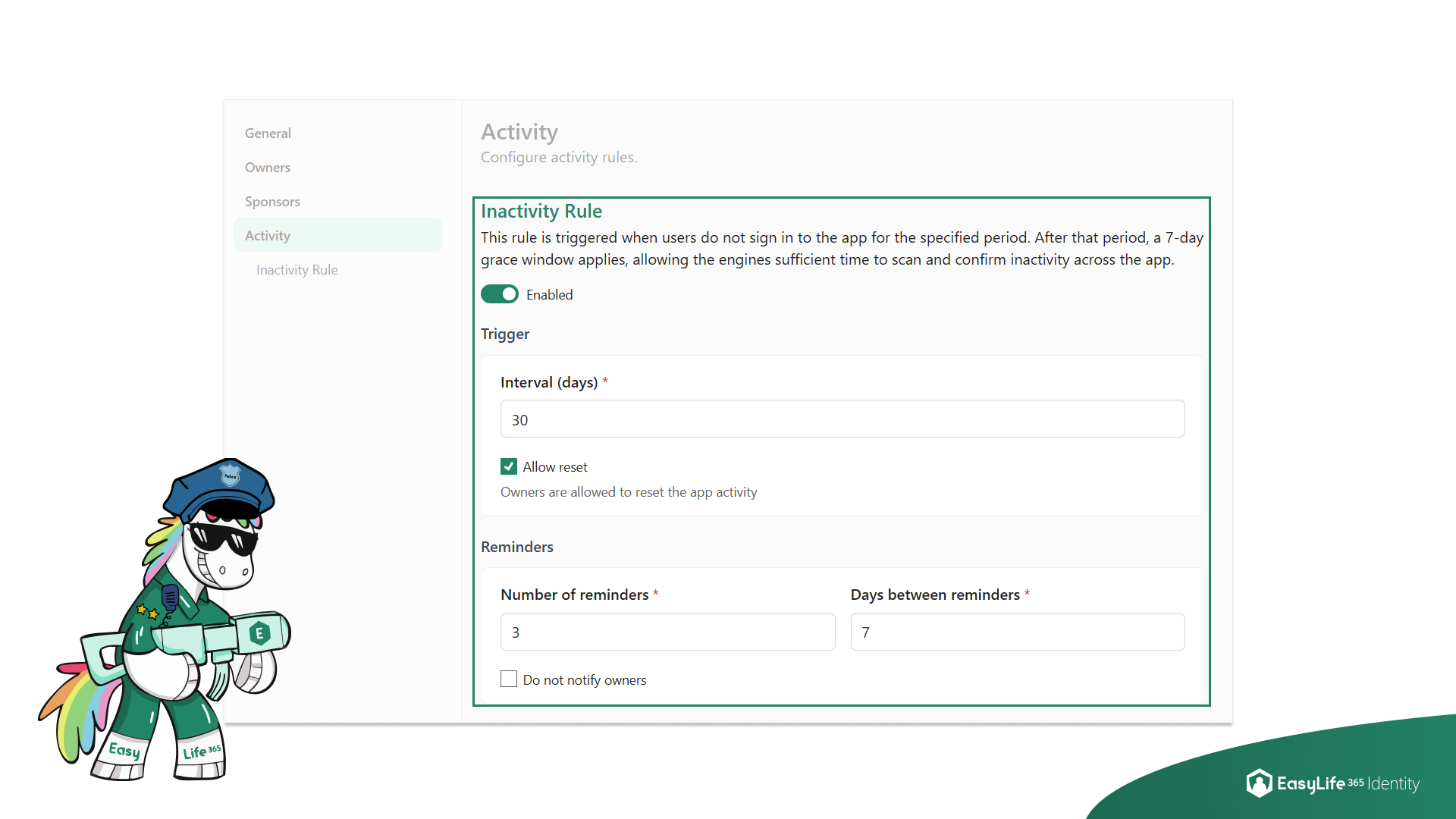
Admins can now configure an inactivity rule as part of an Enterprise Application policy to detect apps that have not been signed in to for a configurable period of time. Admins can also control whether app owners are allowed to mark a non-compliant app as compliant again by manually resetting its activity.
 |
|---|
| EasyLife 365 Identity - Activity policy configuration with inactivity rule and owner reset option |
-
Business Owners and Technical Owners
Ownership handling has been expanded to better reflect real-world responsibilities.
We introduced Business Owners and renamed the existing Sponsors to Technical Owners. This allows you to further refine ownership between business accountability and technical responsibility.
Business Owners represent stakeholders who own the application from a business perspective, without a technical role. These assignments are used for ownership handling today, and will also support future policies and workflows to improve governance and automation across the tenant.
-
Application Notes for Admins and Owners
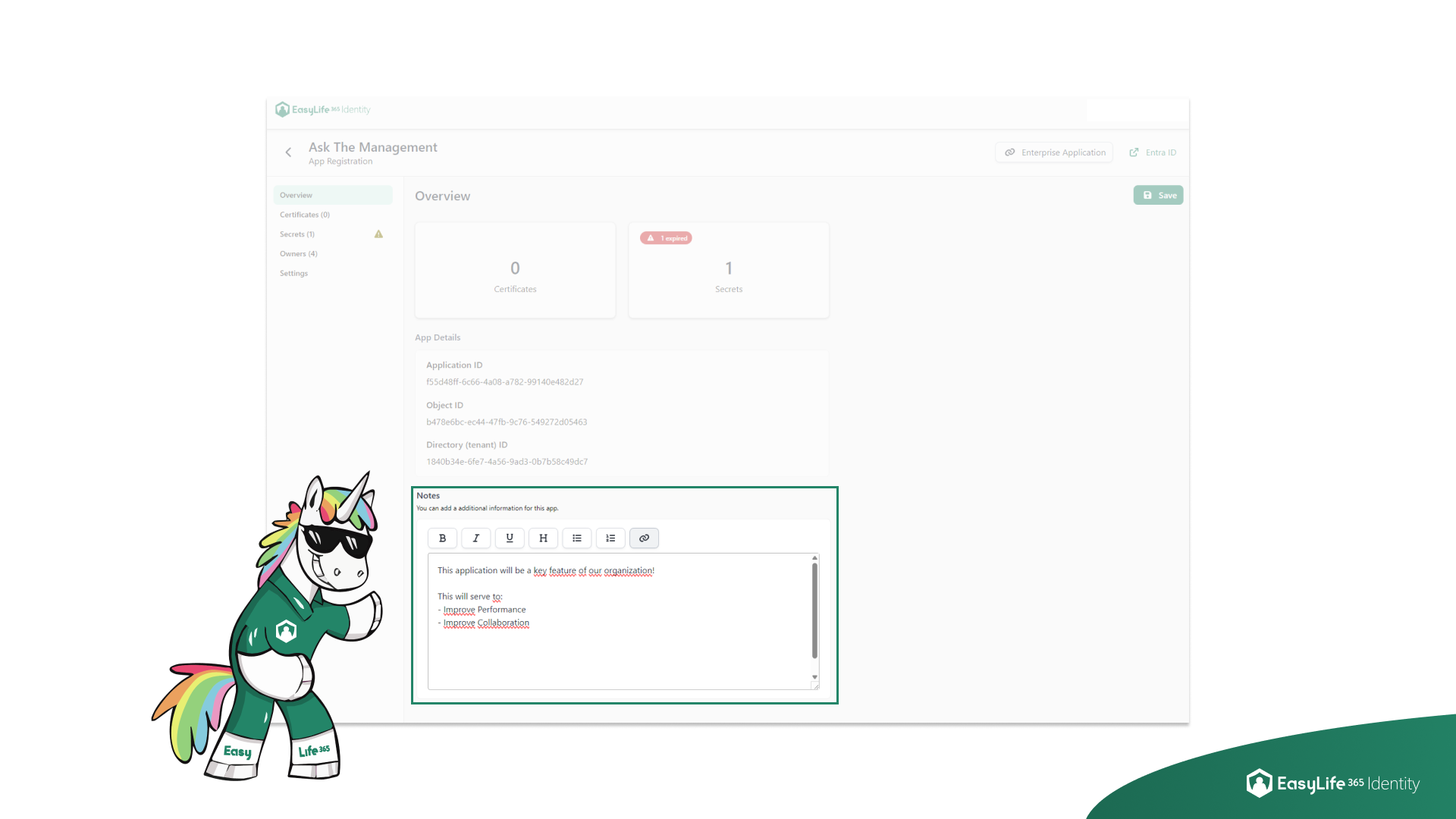
Admins and Owners can now add and edit a dedicated Notes section within each application.
This feature is designed to capture important information such as application purpose, business justification, integration notes, or any detail supporting governance and clarity across teams. The new Notes field is visible directly inside the application details overview. Users with sufficient permissions will be able to update the content, while all permitted viewers benefit from improved transparency and better documentation across the tenant.
 |
|---|
| EasyLife 365 Identity - Notes field available in application overview for Admins and Owners |
How these updates will affect you
- Monitor app usage automatically without relying on manual checks.
- Proactively detect and respond to inactive applications with configurable compliance rules.
- Improve accountability by clearly separating business responsibility from technical ownership.
- Support more precise governance by using Business Owners and Technical Owners in future policies and workflows.
- All Sponsor naming has been replaced with Technical Owner, ensuring consistent terminology across the product and documentation.
- Business Owner classification is now available, helping teams better distinguish ownership responsibilities between business stakeholders and technical maintainers.
- Improve clarity by allowing Admins and Owners to document decisions and intentions directly inside each application.
- Help teams maintain alignment and reduce misunderstandings around application purpose and configuration history.
- Enhance governance by keeping key information stored in a single, easily accessible place.
- Support onboarding of new owners or sponsors who can quickly understand the context of each application.